Accessible provider websites: clear content for people and AI
The language lock-out: why disability websites fail people and AI, and the same fixes solve both
By Clickability · Originally published 19 August 2026
Original article and dated context
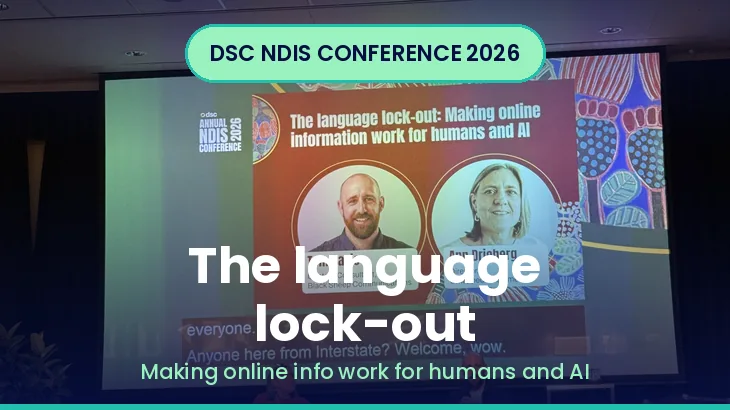
How do people find a disability service now? Increasingly, they don't scroll ten blue links, they ask. That shift was the starting point for one of the most practical sessions of the day, delivered by Tom Davis of Black Sheep Communications and Ann Drieberg of DSC and Untapped Customer, with technical input from the Centre for Accessibility. Their message: the way your website is written and built now decides whether both a person and an AI can actually use it, and on the evidence, most NDIS websites are failing both.
The shift from searching to asking
Tom set the scene. Google still handles around 90% of search, but research from the Australian Marketing Institute suggests roughly 7 in 10 searches now end without anyone visiting a website, so-called one-click search, because an AI overview or a chatbot like ChatGPT, Claude or Gemini hands back a single answer rather than a page of links. His pointed question for every provider: in that world, are you the answer that gets presented, or the one that never gets mentioned?
[Clickability update, September 2026: A search ending without a website visit is normally called zero-click search. The cited percentage and market share are attributed conference claims, not independently verified Australian estimates here; the paragraph also does not establish that AI caused every non-click.]
How AI actually reads your site (a Pac-Man)
To explain how AI processes a page, Tom used Pac-Man. The AI munches through data points, your words, but also your headings, your links, your image descriptions and the way your pages are structured. Feed it jargon, endless pages, information buried in PDFs, or images with no descriptions, and it gets stuck, or worse, serves up the wrong thing. If content is outdated, it can present "AI slop", confidently describing services you no longer offer, and no report ever lands on your desk saying "AI misunderstood us today." Your page just quietly stops being the answer. The reassuring flip side, backed by Google's own people-first guidance: the same things that help a person (plain words, clear headings, described images, and real descriptive links rather than "click here") are exactly what help the machines, because underneath it all sits trust.
With research partner Agentic, Black Sheep analysed five real NDIS provider websites, focusing on pages describing day programs and supported living. Not one passed the checks for both AI and humans. The writing was too hard, around grade 13, university level, for information that should sit around grade 7 (roughly a 12-year-old's reading level). Headings and structure were weak, heavy on marketing language and light on the need-to-know, and this for audiences who are typically time-poor and often distressed.
[Clickability update, September 2026: These findings concern five selected sites and the presenters’ checks. They are not a representative sector-wide failure rate.]
What the technical audit found
The Centre for Accessibility, led by Dr Scott Hollier (who is legally blind and runs the Perth Digital Accessibility Conference), ran the technical layer. It surfaced the familiar culprits: poor colour contrast, missing or unhelpful alternative text on images, links with unclear accessible names, form fields that weren't properly labelled (a real problem when the form is how you enquire or check out), and heading and page structures that don't tell a browser, or an AI, what a page is actually about.
What real people hit
Ann's contribution was the most powerful, because Untapped Customer put real people in front of the sites, people who use screen readers, magnification and captions, and people with autism, ADHD and intellectual disability. The barriers were specific and avoidable: a screen-reader user lost their place when a menu moved; a magnification user found links too faint to read; a captions user was startled by unexpected sounds; a cookie prompt blocked people entirely. On one site, a link inside an FAQ was hard to read, then became impossible when hovered over, so people never got the answer they came for. On a supported-living site, whole sections were built around photos of houses with no text describing them, leaving screen-reader users staring at blank gaps. And a "contact us" button that showed a phone icon to a sighted user announced only the word "link" to a screen reader, so those users couldn't tell it led anywhere, and couldn't get in touch at all.
The sting in the tail: every site was rated "okay to good," and most testers said the writing was easy to read. But, as Ann put it, easy to read is not the same as easy to act on. Compliance tells you whether you meet a standard; it does not tell you whether someone can actually do the thing they came to do. If they can't, they leave. Only real user testing surfaces those errors.
It's a governance question, not a marketing one
Tom's reframe was the takeaway for leaders. For too long, websites and digital infrastructure have been treated as a marketing problem, when in an AI world they are a governance one: we are all responsible for what AI says about us. He described an organisation whose four-year-old PDF was being surfaced in AI overviews, advertising services it no longer delivered. AI lowers the cost of producing information, he argued, but it does not lower the cost of trust. He pointed to the ISO plain-language standard and its four principles, that content should be relevant, findable, understandable and usable, and to the UK government's content programme, which found its AI system was only ever as good as the content it was fed.
His practical governance questions to take back to the office: who owns each section of your website; can PDFs be brought into the page as proper web content; is it written for real user tasks; and, simply, how do people find you now, go and ask an AI and see. Add an AI review to your internal audit (and don't forget your SharePoint), add plain language to your content-approval process, and bring lived experience into your testing.
He closed with Shackleton's Endurance, the ship crushed by Antarctic ice in 1915 whose crew of 28 survived two years by working together. AI, he said, is a crew member, not the captain. Make your content clear, make your information open to everyone, and govern it like it matters, because it does. "Clear is kind, clear is findable, and clear can be your edge."
What this means for providers
Your website is now a front door for both people and AI, and the same fixes serve both. Treat it as governance, not just marketing: assign ownership, bring PDFs into real pages, write to a grade-7 level, describe every image, use meaningful link text, and label your forms. Then test with real users and run an AI visibility check to see what the machines say about you.
[Clickability update, September 2026: Informative images need appropriate alternatives; purely decorative images should use an empty alt attribute. Use the W3C decision tree. Clear content does not guarantee an AI citation.]
What this means for participants and families
You are not imagining it if provider websites feel hard to read or hard to use. The research confirms most are pitched well above a comfortable reading level and trip up assistive technology. You have every right to clear, plain, usable information, and it is fair to tell a provider when their site is a barrier.
[Clickability update, September 2026: The reported five-site sample cannot confirm that most provider websites have these characteristics.]
What this means for support coordinators and intermediaries
When you point participants to provider information, its quality varies wildly. This session is a useful lens for judging it, and the "can you actually complete the task" test (find a phone number, make an enquiry) is a quick, revealing one.
Meet the speakers
Tom Davis, Founder, Black Sheep Communications Tom is a clear-language advocate, award-winning journalist and founder of Black Sheep Communications, working at the intersection of content strategy, plain language and digital transformation. He is part of Standards Australia's Plain Language Working Group.
Ann Drieberg, Principal Consultant, DSC; Founder, Untapped Customer Ann has more than 30 years in the sector and founded Untapped Customer, which connects organisations directly with people with disability so they can hear from them and design better services.
With: the Centre for Accessibility (Dr Scott Hollier and Brian Benjamin) Dr Scott Hollier, who is legally blind, leads accessibility work at the Centre for Accessibility and runs the Perth Digital Accessibility Conference; the Centre conducted the technical audit for this research.
Further reading
The Language Lock-Out research (Black Sheep Communications, with Untapped Customer and the Centre for Accessibility). The full report behind the session, covering the three-lens method (content and AI visibility, technical accessibility, and lived-experience testing), the findings across all five sites, and practical fixes. The report page also offers a free AI visibility scan so you can see how your own organisation shows up. Available via Black Sheep
A note on this series: this is Clickability's plain-English summary of a session at the DSC Annual NDIS Conference 2026, based on the published research and notes from the day (13 August 2026). It reflects our interpretation and is not the official position of DSC, Black Sheep Communications, Untapped Customer, the speakers or the NDIA, and it is not legal or NDIS advice.
Clickability editorial update: September 2026
What providers can change after this session
Start with a page people rely on to make a service decision. Remove outdated availability claims from the current page, explain where the service operates and make the next action obvious. Keep historical documents labelled and separate from current service information.
Assign responsibility for the enquiry form as well as the wording. Ask people to complete an enquiry using their usual access tools and record the barriers. Checking what a chatbot says about the service can expose stale information, but it cannot certify accessibility or measure the whole audience.
Google’s guidance requires ordinary Search eligibility for its AI features, with no special AI schema or new AI text file. Apply that advice to Google; other systems have their own behaviour.
How coordinators can check whether a page is useful
Before referring someone to a provider page, try to find its service area, contact method and availability information. Check whether the participant can use those details in their preferred format, rather than judging the page by its appearance.
If key information is missing, ask the provider directly and record the answer and date. Help the participant compare that practical information with their priorities.
Questions readers ask
Do the five sites prove most NDIS websites fail?
No. They are the sample reported in this conference account, not a representative survey of the sector.
Can a provider guarantee a Google AI citation with special markup?
No. Google describes ordinary Search eligibility and established SEO practices, without an additional special schema requirement or a guarantee of inclusion. Official guidance
Find providers with the information you need
Search Clickability’s network of 5,000+ vetted providers across the platform. Compare service profiles and ask directly about the support and access requirements that matter to you.