Telehealth consultations: preparing for remote exercise support
Telehealth: What is it and how does it work?
By Cassie Hovey · Originally published 15 April 2020

Original article and dated context
[Clickability update, October 2026: This is the historical pandemic context. Current Australian Government information describes phone or video consultations when clinically appropriate; some care requires an in-person assessment.]
What is Telehealth?
What if technology isn’t your greatest strength?
What technology is required?
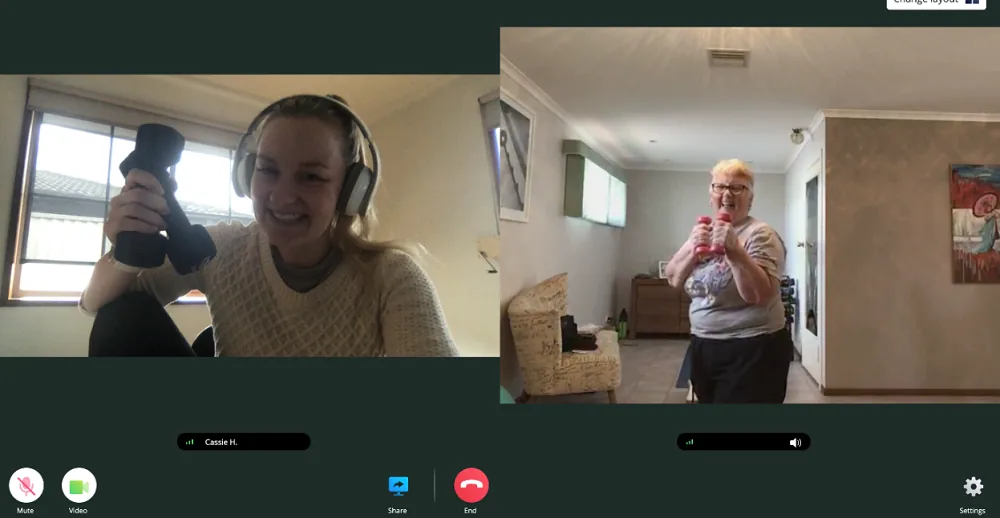
What does it look like?
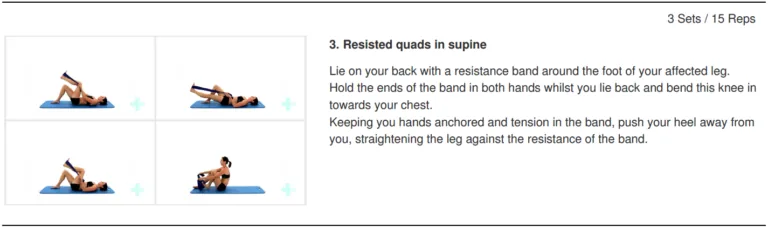
Historical example only: the handout illustrates resisted quadriceps movement while lying down, using a resistance band, and gives sets and repetitions. It is not a personal exercise prescription. Ask your practitioner for a program suited to you.
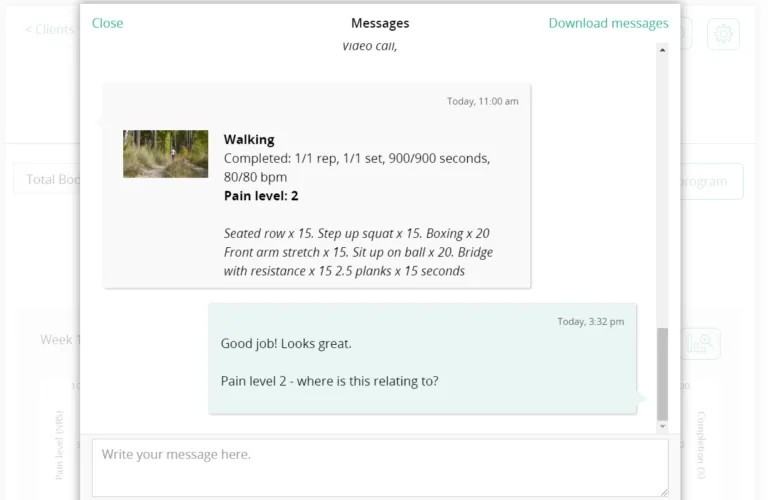
Historical example only: a message records a walking activity, exercise notes and a pain score, followed by a question about the location of pain. This illustrates follow-up communication, not instructions for the reader.
What should you do to prepare for an exercise-based Telehealth call?
[Clickability update, October 2026: Technology, communication and access needs vary. Ask for the assistance or alternative consultation format you need; do not assume these preparations are easy for everyone.]
- Set up in a quiet, well-lit area
- Ensure the camera and microphone are working, open the camera, make sure you can see yourself clearly, and open the microphone and ensure its recognizing sounds. This can typically be done by searching ‘camera’ or ‘microphone’ and opening the application there.
- If you have any exercise equipment, find it and have it in the room with you prior to commencing the appointment.
- If you haven’t met your new practitioner before, make sure you have any questions written down, to discuss straight away.
- Ensure you have room around you if we need to do a little exercise. If you can stand up with your arms outstretched as far as they can with extra room around you still, this will typically suffice.
Clickability editorial update: October 2026
How participants can prepare a telehealth appointment that works for them
Ask whether phone, video or an in-person appointment best suits the consultation. Discuss communication needs, a private place and what to do if the connection fails. Current telehealth information explains remote consultation options.
For exercise, ask the practitioner about your own space, assistance and safety requirements. The screenshots illustrate the author’s historical practice; do not copy the exercise or repetitions as a personal program.
Confirm suitability and access before giving a remote program
Agree how the person will communicate, what equipment and assistance are needed and what happens if an in-person assessment becomes necessary. Do not treat a working camera as evidence that an exercise is suitable. Explain costs, privacy arrangements and follow-up in a format the person can use.
Questions readers ask
Does every telehealth consultation need a camera?
No. Telehealth can be by phone or video, depending on the service. Official guidance
Should I copy the exercise in the screenshot?
No. It is a historical example, not an individual prescription.
Find exercise physiology services to discuss your needs
Use Clickability to describe the assistance you want from an exercise physiologist. Compare reviewed and rated profiles and ask about suitability, access and consultation options.
Find an exercise physiology provider · Browse exercise physiology providers