NDIS AI: practical trials, privacy checks and human review
AI made simple: practical things disability services can actually do with it today
By Clickability · Originally published 19 August 2026
Original article and dated context
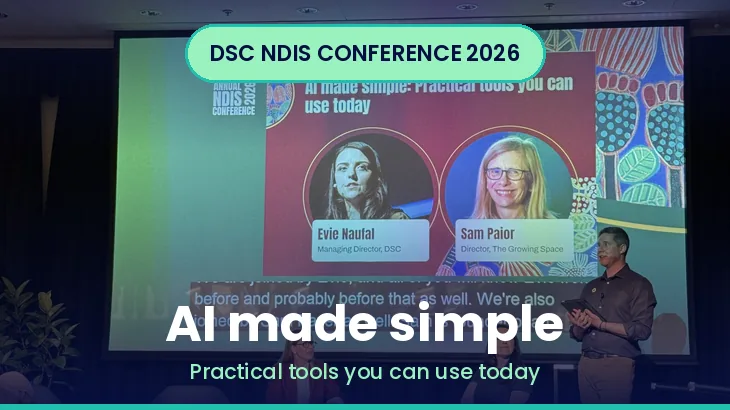
Tucked into the breakout stream, this was one of the most practical sessions of the day. Sam Paior of The Growing Space and DSC's Evie Naufal set out to cut through the hype and show what AI can actually do inside a disability service right now, with live examples rather than theory. The through-line: start with the outcome you want, keep a human in the loop, and treat privacy and governance as part of the job, not an afterthought.
Getting better results from AI
Most of the value, they argued, comes from how you ask. Start by being clear about what you are trying to achieve, go big first and then refine, rather than expecting a perfect answer in one go. A simple trick that lifts quality a lot: tell the tool to ask you for more detail rather than filling in the gaps itself, so it works from your facts instead of inventing them. When accuracy matters, instruct it to only use the sources you have uploaded. And a smart way to build trust in a tool before you rely on it is to test it against old data where you already know the outcome, then compare.
Where it saves real time
The obvious win for services is case notes: faster, more consistent notes that still read like a person wrote them. Beyond that, the speakers pointed to using dead time productively, for example talking through ideas or dictating notes while driving, and letting AI turn that into something structured later.
[Clickability update, October 2026: Record notes only after safely parking, with privacy and workplace procedures in place. Do not treat driving time as an opportunity for this task. Queensland mobile-phone rules illustrate the restrictions; licence and jurisdiction rules vary.]
A step up from one-off prompts is building your own custom assistant, a version of a chat tool with your instructions already baked in, so staff do not have to be prompt experts. You can create different versions for different roles, so a support coordinator, for instance, gets a tool already set up for the way they work and the plans they build. Training these tools on examples of both good and bad work helps them learn what "good" looks like in your organisation.
[Clickability update, October 2026: Examples included in a prompt or custom assistant are not necessarily model training. Neither custom instructions nor an uploaded-source restriction guarantees factual output. Test results and keep an accountable reviewer.]
From prompts to automated workflows
The session went further than chatbots, into scheduled, repeatable workflows. Imagine a task that runs every Monday morning, scans a defined set of trusted sources for anything new, and reports back what matters for a particular role. From there, results can flow into a database, get emailed around, or be summarised with supporting detail attached, for example a case name and the decision made in each. That data can then be presented as a dashboard staff can filter by whatever categories matter to them. The point was not the specific tool but the shape of it: set it up once, let it run, and get a useful output on a schedule.
Five uses you might not have thought of
The speakers offered a handful of less obvious applications: drafting responses to social media by first learning from how your organisation has replied over the past few months and turning that into a repeatable process; building personalised action plans from case notes that flag gaps; finding relevant tenders and grants and reporting back weekly on what is worth applying for; and keeping an eye on what competitors are doing.
Privacy and governance, not optional
The most important part of the session was the guardrails. The Privacy Act applies to everyone handling sensitive information, names, and medical or health data, so that cannot be fed carelessly into a public tool. Two risks stood out. The first is "shadow AI," staff quietly using AI tools without telling the organisation, which creates real exposure. The fix is a clear AI policy so people know what is allowed. The second is training: make sure the setting that lets a tool learn from your inputs is switched off across every AI tool you use, so your data is not absorbed into someone else's model.
[Clickability update, October 2026: Privacy Act coverage depends on the entity and relevant exceptions, including health-service providers. Check the OAIC coverage guidance. Turning training off is only one setting; it does not resolve retention, access, disclosure or all privacy risks.]
What this means for providers
There is genuine, immediate value here, but only if it is governed. Start with a written AI policy and a decision on which tools are approved, then switch off model-training on every one of them. Pick one or two high-volume, low-risk tasks (case-note drafting is the classic) and build a custom assistant with your instructions baked in, tested against known examples before anyone relies on it. And keep a human reviewing every output that touches a participant.
[Clickability update, October 2026: Case notes may contain highly sensitive information. Use synthetic or appropriately de-identified examples for a starter trial; assess the real workflow before any participant record is involved. Follow the OAIC’s commercial AI guidance.]
What this means for support coordinators, LACs and intermediaries
A lot of the day-to-day grind here is automatable: summarising notes, drafting plans, scanning for updates that affect your participants. A role-specific custom assistant, set up once, can take the repetitive edge off without replacing your judgment. The same privacy rules apply, so keep participant details out of any tool that is not approved and set up safely.
What this means for participants
AI is quietly moving into how services run, from the notes written about you to the way providers answer questions online. The reassuring message from this session was that good practice keeps a person in charge of anything that affects you, and treats your personal and health information as protected under the Privacy Act. It is fair to ask a provider how they use AI and how they keep your information safe.
The takeaway was refreshingly grounded: AI is not magic and it is not going to run your service, but used deliberately, with clear instructions, tested against reality, and wrapped in a proper policy, it can quietly hand time back to the people doing the work.
Meet the speakers
Sam Paior, Director, The Growing SpaceLinkedIn Sam is the founder and director of The Growing Space, an independent support coordination and NDIS advice service, and a long-standing, plain-speaking disability advocate known for translating the scheme into practical terms for families.
Evie Naufal, Managing Director, DSCLinkedIn Evie has led DSC since 2014 and brings a background in sustainable development and human-centred design, with a strong focus on turning complex NDIS practice into usable guidance.
A note on this series: this is Clickability's plain-English summary of a session at the DSC Annual NDIS Conference 2026, based on what was said on the day (13 August 2026). It reflects our interpretation and is not the official position of DSC, the speakers or the NDIA, and it is not NDIS or employment advice.
Clickability editorial update: October 2026
How providers can run a small trial without exposing case records
Choose one task with a clear success test, such as drafting a general staff notice from approved public material. Use known examples, record errors and check whether the output omits an important limitation. Set a stop condition and name the person who approves any wider use.
Separate the trial from live records. Review vendor access, retention and disclosure arrangements before considering personal information. A polished answer is not evidence of correctness; compare it with the underlying source and your service procedures.
What workers should check before using an assistant
Use only approved workflows. Do not paste participant details into a convenient public chatbot or copy invented details into a record. Write down what you actually observed, then check any permitted draft against that account. Escalate uncertainty to the person responsible for the record rather than letting the tool fill the gap.
Questions readers ask
Does disabling model training make participant data safe?
No. Retention, access, disclosure, purpose and other controls still need assessment. Official guidance
Does asking for answers only from an uploaded document guarantee accuracy?
No. Check the answer against the source and review omissions or invented details.
Find services that take communication and records seriously
Describe your disability support needs through Clickability, then compare provider profiles and reviews. Ask how records are checked and how you can correct information about your support.